Worklist
Bring every read, shift, and site into Focus.
Focus is the Shadowfax worklist and orchestration layer that organizes the day, prioritizes critical reads, and keeps distributed teams aligned.
Screenshots
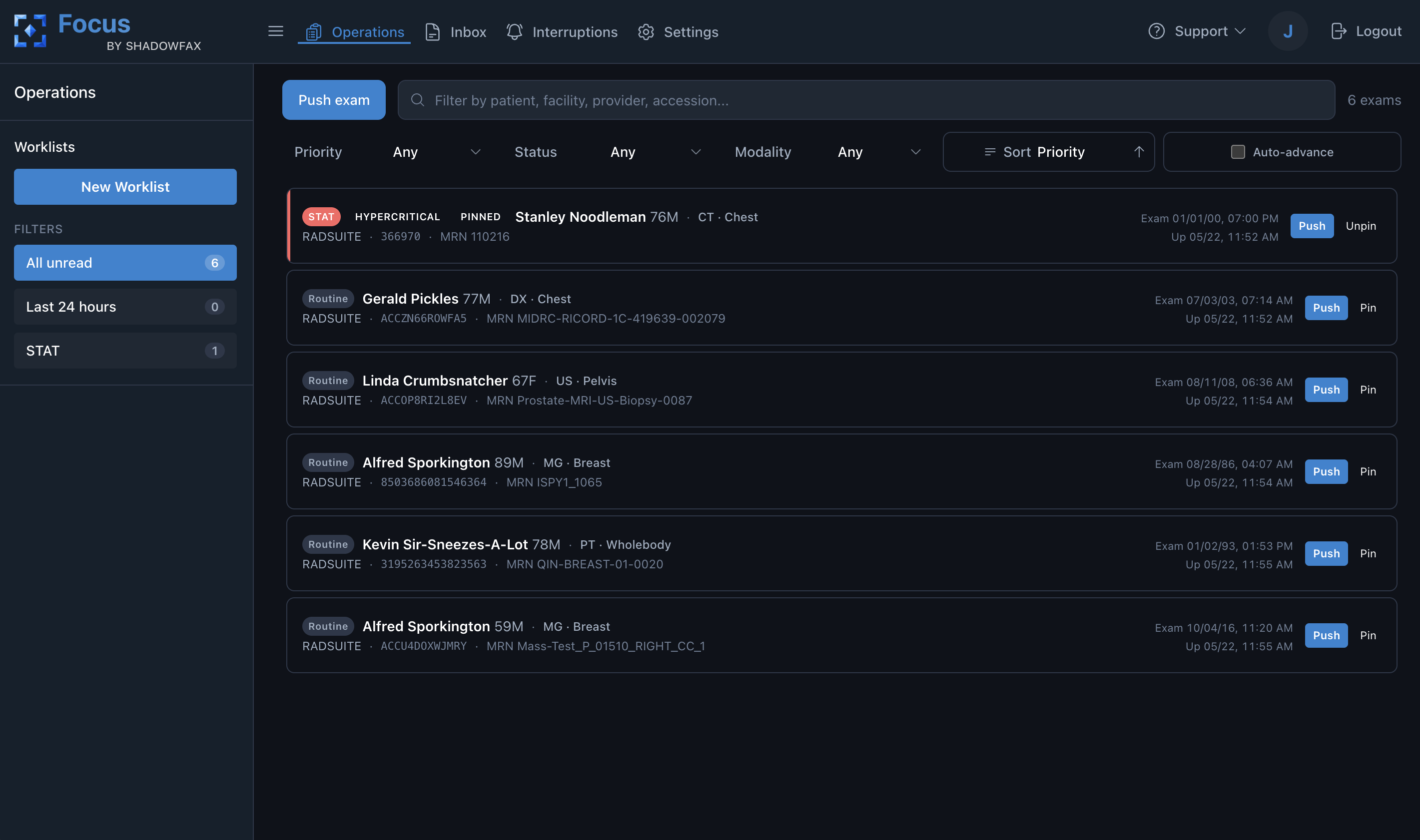
Focus operations at a glance.
Orchestration
Make the next right study obvious.
Focus gives radiology teams a clearer operational command center, reducing manual routing and helping the highest-priority work rise to the top.
- Unified worklists for radiology teams and practices.
- Prioritization for urgent, critical, and time-sensitive reads.
- Designed to connect with Prism+ reporting and Photon viewing.
- Operational visibility that feeds Spectrum insights.
Focus workflow
A command center for the studies, readers, and interruptions that need attention now.
Focus gives operations teams a live view of the exam pool, with the routing tools and communication queues needed to keep urgent studies and reader workflows moving.
-
01
See the live exam pool
Review patient, accession, modality, care setting, facility, priority, assignment, status, and timing in one operational view.
-
02
Isolate the right queue
Filter or save operational views by site, modality, SLA risk, priority, assignment, and routing criteria.
-
03
Push, pin, reassign, or escalate
Move a selected exam to a target radiologist or return it to the available reading pool with clear operational intent.
-
04
Manage messages and holds
Separate radiologist inbox items from critical pushes and workflow holds so communication loops stay visible.
-
05
Track the path to resolution
Operational status changes show which interventions are complete and which urgent studies still need action.
FAQ
Focus questions.
Focus organizes the live exam pool, prioritizes studies, and helps teams route work across readers, facilities, modalities, statuses, and timing signals.
Operations teams can push, pin, reassign, release, or escalate selected exams so urgent studies and stuck workflow states move toward the right reader or reading pool.
Focus is designed to show patient, accession, modality, care setting, facility, priority, assignment, status, and timing context in one operational view.
Focus separates radiologist-to-admin inbox messages from interruptions such as critical pushes and workflow holds, so teams can track each loop to resolution.
Yes. Focus is designed to route work into the integrated Prism+ reporting workflow and keep queue decisions connected to report progress.
Focus turns routing, queue, interruption, and timing activity into operational signals that can feed Spectrum analytics for backlog, staffing, and workflow health.
Focus is most valuable anywhere coordination, prioritization, or distributed reading creates operational complexity, whether that is a growing group or a larger enterprise team.